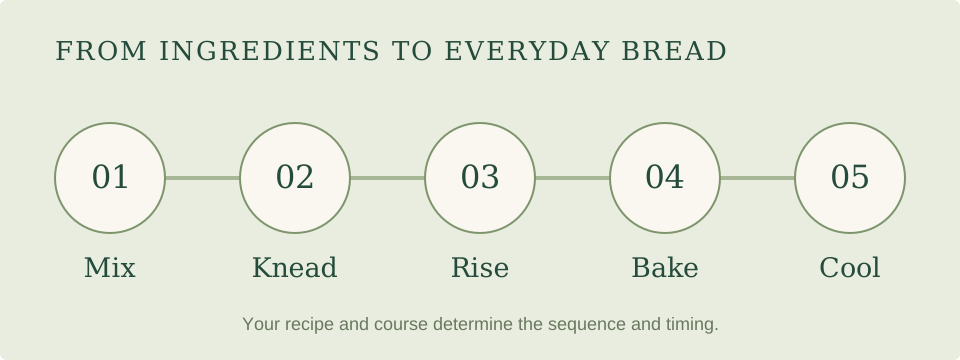
Read a program as a sequence with a particular endpoint. The useful questions are what it does, which recipe and size it supports, and what work remains for you.
Complete bread courses
Basic, white, French and whole-wheat names usually describe automatic bread-making routes, but the sequence and supported recipes vary by model. One machine may include a rest before kneading; another may arrange the stages differently. Use the matching recipe and manual instead of expecting every Basic button to behave alike.
A whole-wheat course is useful when a compatible recipe calls for that process. A mixed-flour recipe may use a different course. The Panasonic SD-R2550, for example, includes mixed-wheat formulas among its documented recipes without providing the same dedicated whole-wheat course found on some other machines.
GF: a course plus a capacity
A dedicated GF course gives a gluten-free mixture its intended process. Check capacity on that course. Breville's 1 lb ordinary option does not transfer to GF; the CBK-110NAS GF table lists 1½ lb; the Maestro's GF workflow is built around a one-pound pan.
A recipe yield is also different from a size button. The Artisan 29987 guide gives GF formula examples without the ordinary size selector. The GF comparison guide puts those distinctions side by side.
Dough and Artisan Dough
These are useful when the machine is doing preparation and you will finish the recipe. Rolls, pizza and a shaped oven loaf are good reasons to use a dough workflow. Check whether the course includes a rise and what the recipe requires after the machine stops.
Artisan Dough is a program name, not an instruction that a freestanding artisan loaf will emerge fully baked. A complete recipe connects the machine stage to shaping, proofing and oven baking.
Rapid bread and quick bread are not the same idea
A rapid yeast-bread program uses a formula and timetable suited to a shorter process. Quick bread can instead refer to a batter raised with baking powder or baking soda. Read the ingredient list and program description rather than selecting whichever button sounds fastest.
For your first bake, a standard automatic recipe gives a useful baseline. Later, choose a rapid formula deliberately when its result and timing suit the day.
Custom cycles and separate manual tasks
A complete custom cycle lets you adjust selected stages within an assembled sequence. Saved memories can keep developed recipes available. Separate manual kneading or rising tasks let you decide when to move from one job to the next. Both can be useful, but they are different interactions with the dough.
If you want natural-starter bread, write down whether you will supervise individual stages, repeat a saved cycle or follow a yeast-assisted formula. Our sourdough guide connects that choice to the controls worth comparing.
Four checks before choosing a machine
- Find a recipe you want to make repeatedly.
- Confirm that its course finishes at the point you expect.
- Check capacity and any timer or add-in limits on that course.
- Choose extra controls only when they solve part of your routine.
The comparison table helps separate capacities, add-in systems and adjustable cycles. The finder turns the requirements you choose into a suitable shortlist.